

From the Organizer Dashboard overview, you can review and edit milestones by navigating to Settings and then selecting Milestones. Let's look at the steps:
Access Milestone Settings
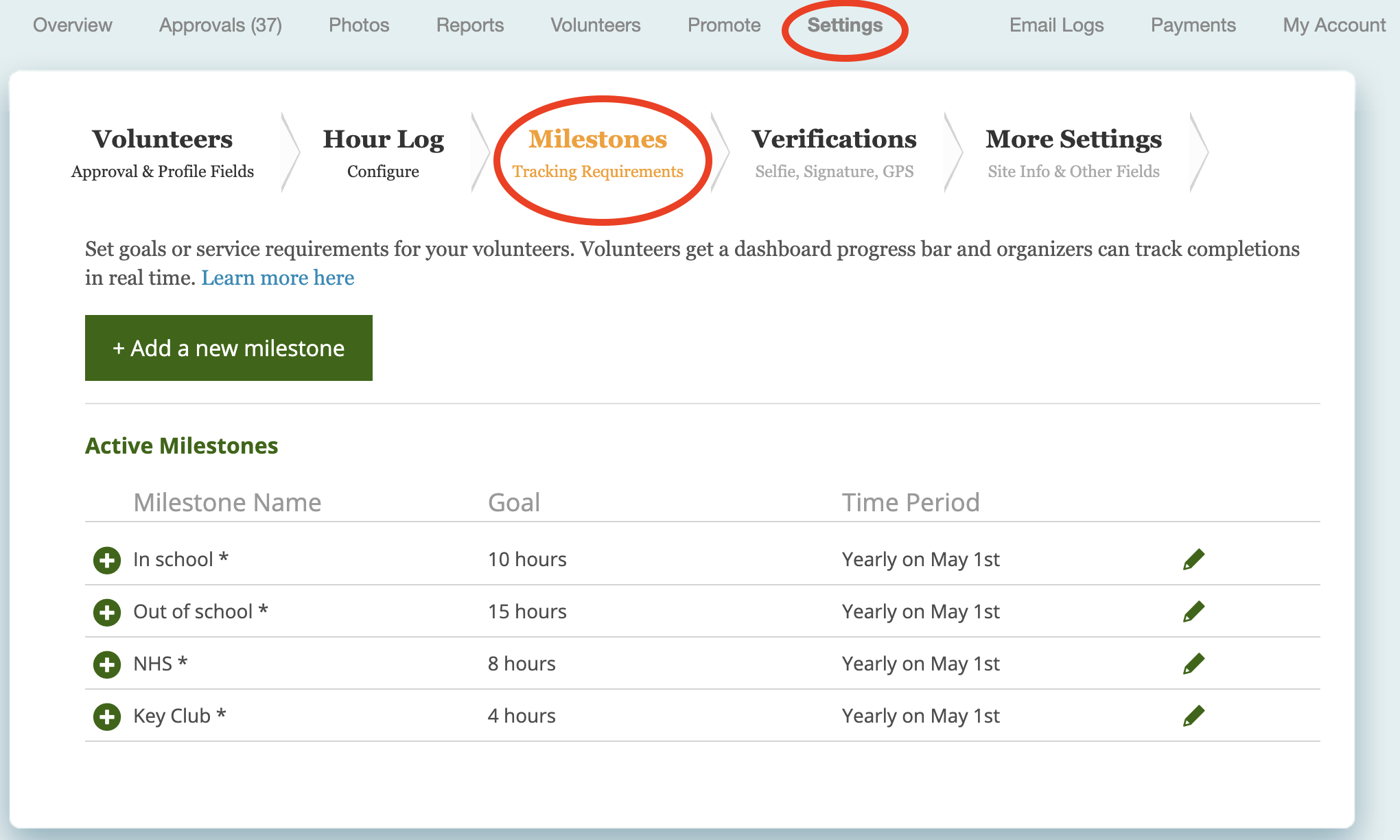
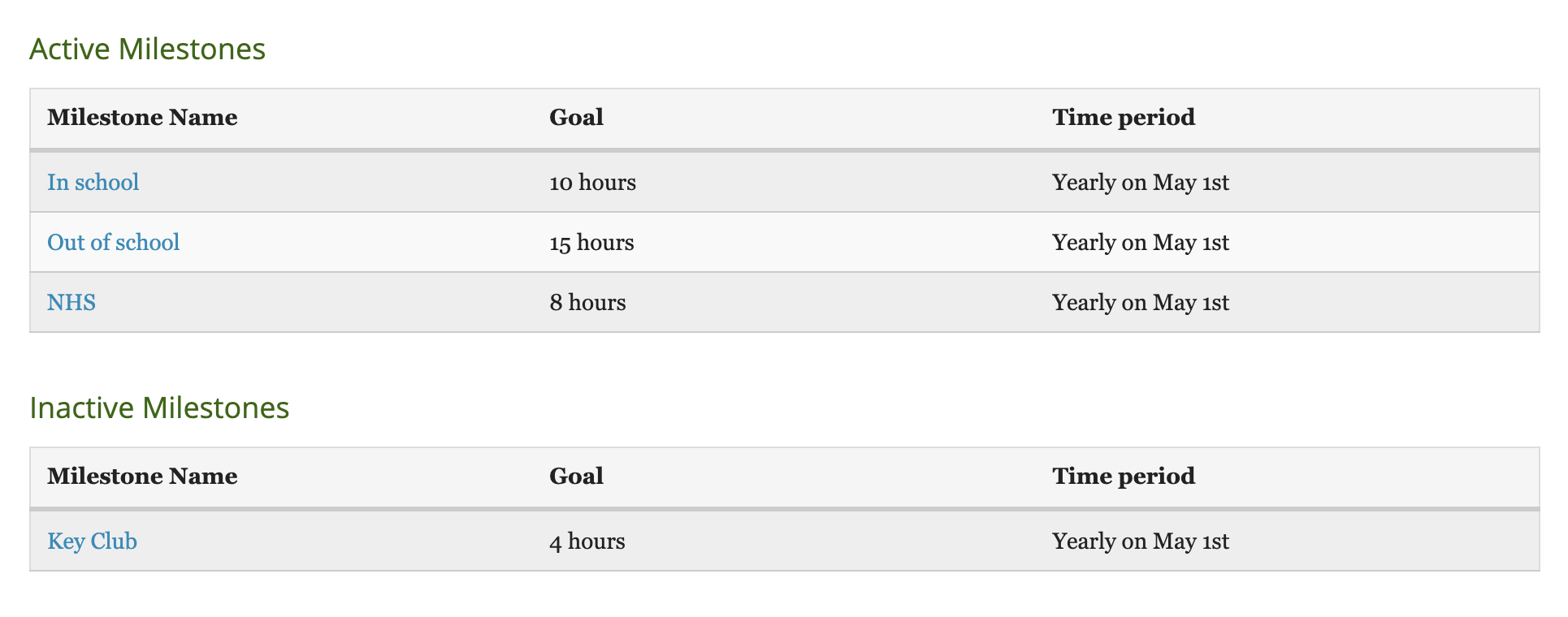
Go to Settings in your Organizer Dashboard, then select Milestones to view your list of active milestones.
Review Conditional Milestones
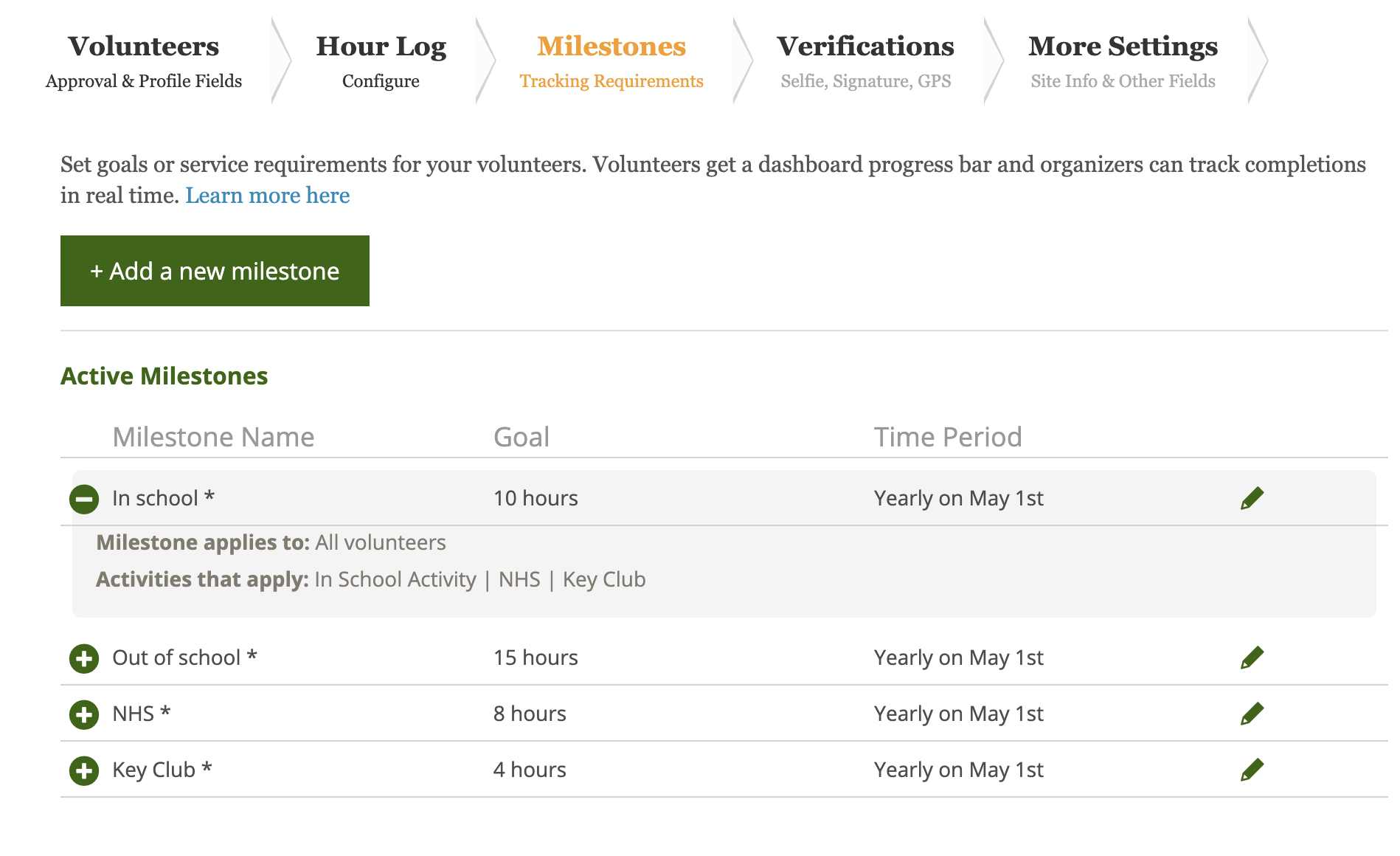
An asterisk beside a milestone means it is conditional, governed by set criteria. Click the plus sign to expand and review that milestone’s specific conditions.
Edit a Milestone
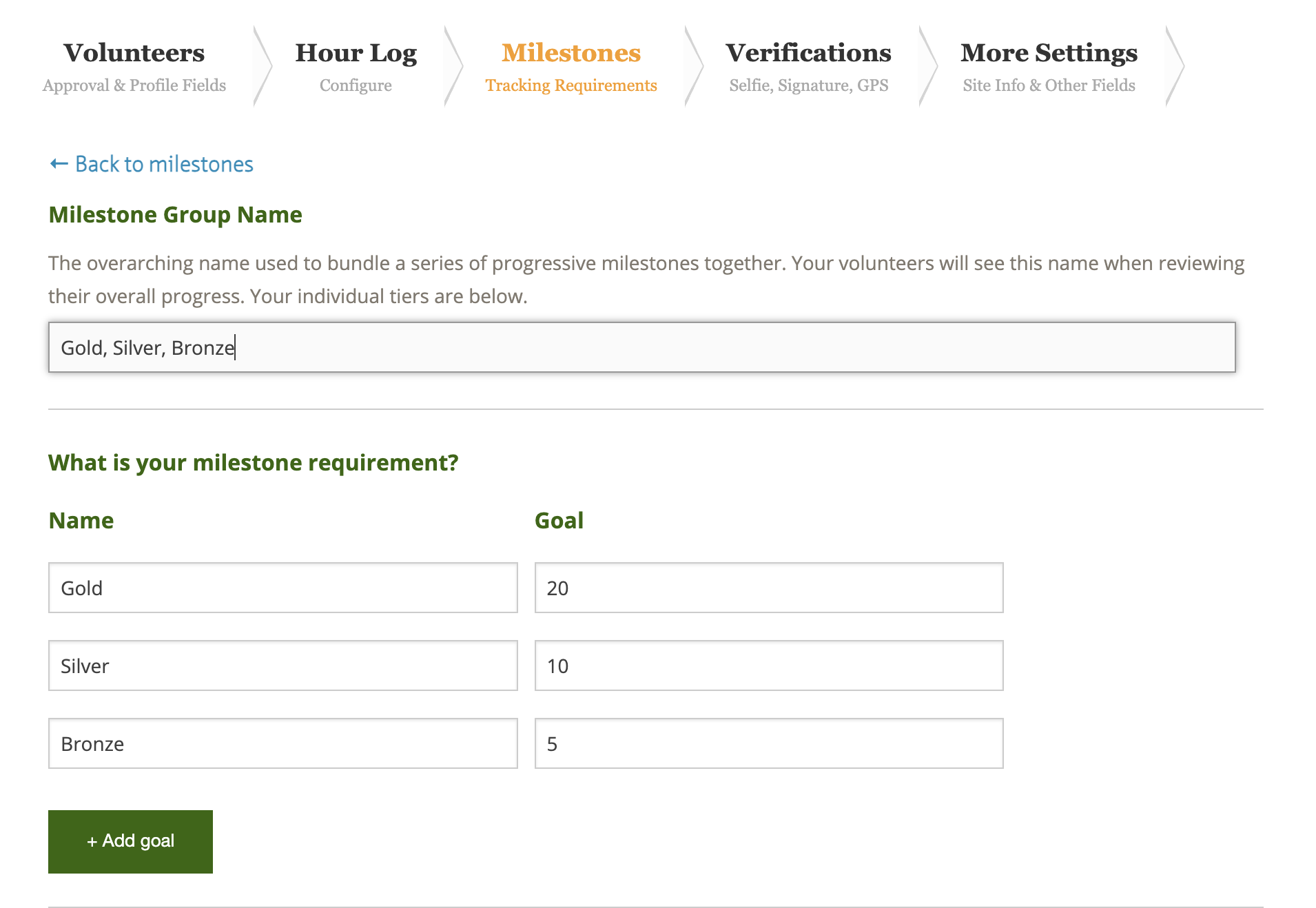
To edit a milestone, click the pencil icon on the milestone's line. You can change the name, the goal, add additional tiered goals, designate which activities and volunteers count towards the milestone, and adjust the time period.
If you are editing and add more tiers, a Milestone Group Name will appear. By default, it mirrors the name applied across all tiers in the milestone, but you can customize what the group is called if needed.
If you are creating a new tiered milestone, add your tiers to save the milestone, then edit the milestone again to access the Milestone Group Name field.
Duplicate, Make Inactive, or Delete Milestones
You can duplicate a milestone, make it inactive, or delete it entirely.
If you duplicate a milestone, the duplicated milestone edit form will load on the next page where you can change any details needed.
If you make a milestone inactive, it will appear in the Inactive section of your milestone settings. You can reactivate it by editing and clicking Make Active.
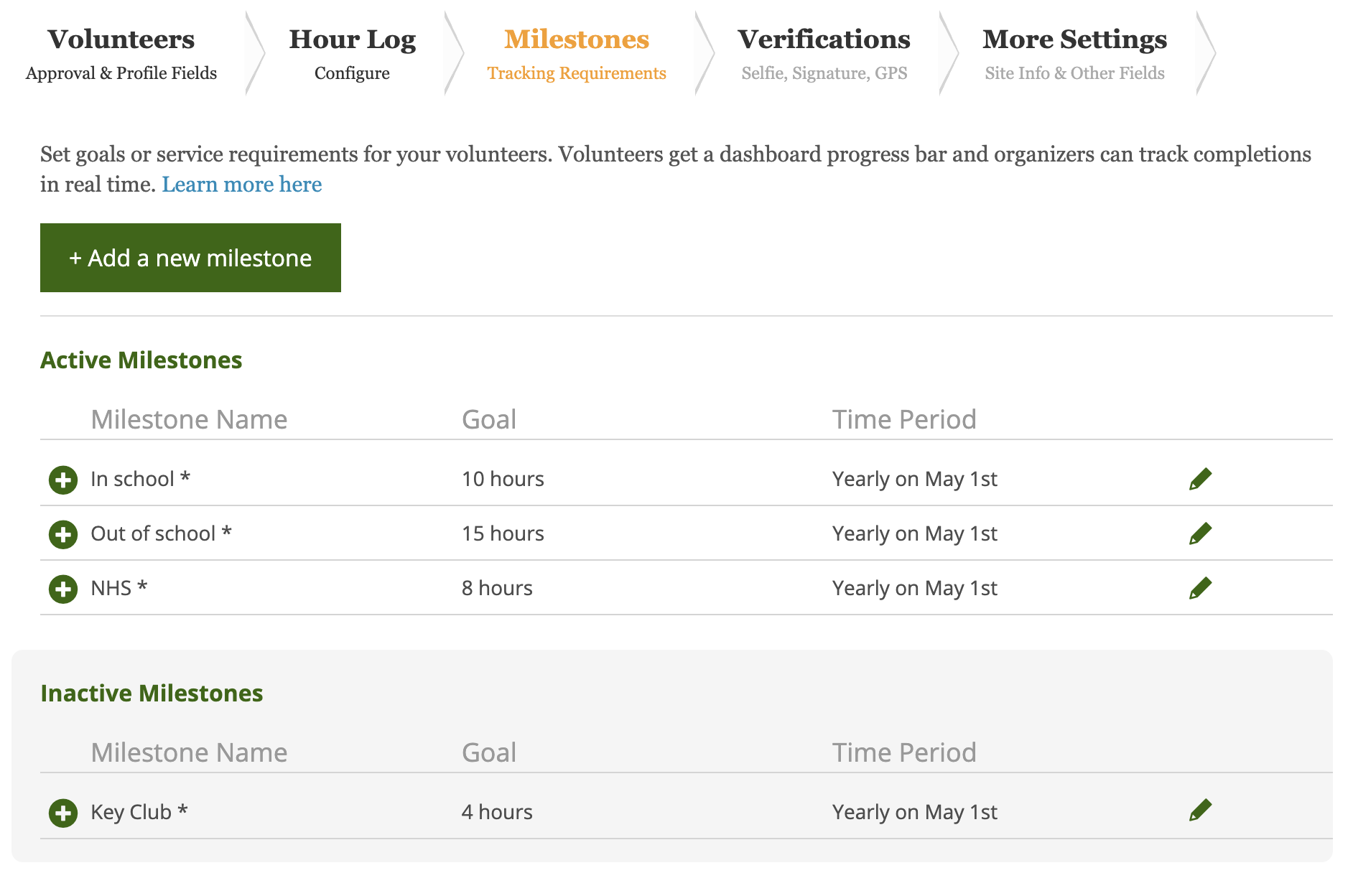
Making a milestone inactive removes it from active tracking and visibility. Volunteers will no longer see it on their hour log or reflected on their reports.
You will also see an Inactive section within your Milestone report, enabling you to access and pull historical information when needed. Once inactive, any hours logged afterwards will not total towards that milestone.
However, you will not be able to include or access inactive milestones on your Volunteer and Milestone report.
Please note: Deleting a milestone is permanent, and any reports associated with that milestone will no longer be available.