

When you archive a volunteer, their data remains in the system so you can choose to restore their account at a future date.
Go to Organizer Dashboard

Click on the Volunteers page

Click the tab for archived volunteers
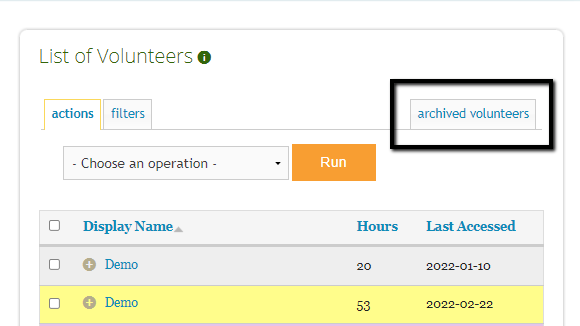
To restore an individual or multiple users, check the boxes next to the name(s). Then in the actions drop down, click on Restore User, Run and Confirm.

OR to restore a specific individual, you can click on the name of the archived user

Click on the Permissions tab and click on Restore Volunteer.

Please note: this process may be slightly different if an archived volunteer logs an hour before they are restored.
If your site does not have New Volunteer approval enabled, a volunteer will be restored automatically when they log an hour
If your site does have New Volunteer approval enabled, the volunteer will move to your Approve Users tab for your review.